
Infrared
Main menu key: x
Transmit IR via GPIO44 for TV and AC remotes. Default category and brand come from the infrared config.
Screenshots
TV
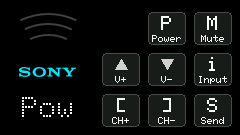
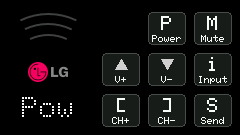
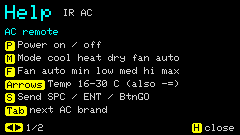
AC
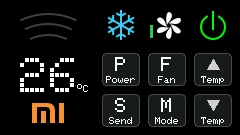
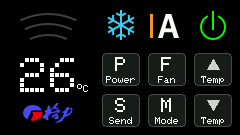
Shortcuts
No footer tip on the main screen (keys are printed on the panel); full notes are in h Help.
| Key | Action |
|---|---|
h | Help |
Tab | Switch brand |
t | TV ↔ AC |
p | Power |
- | TV: Vol− · AC: Temp− |
= | (symmetric adjust; see panel) |
[ | TV: channel-related |
BtnGO / Space / Enter | Send current action |
TV: m / i | Mute / Input, etc. |
AC: m / f | Mode / fan speed |
Exact actions follow the on-screen keypad and Help.
Usage
TV
Supported brands: Samsung, Sony, LG, Panasonic, NEC, Xiaomi, Hisense.
Common actions: Power, Vol±, Mute, Ch±, Input. Pick brand and action, then send.
Xiaomi uses the Xiaomi IR protocol (most Mi TV / Mi Box). Some models are Bluetooth-only with no IR receiver. Ch± maps to Page Up/Down.
Hisense uses NEC (customer
04FB, official discrete / common VIDAA codes). Some older EN* remotes use address00BF; if no response, try the generic NEC brand.
AC
Supported brands: Midea, Gree, Haier, AUX, Hisense, Xiaomi.
Some Midea units do not respond; switching the brand to Xiaomi often works.
- Mode icons: cool / heat / dry / fan / Auto
- Top-bar fan icons: auto / min / low / med / high / max
- Adjust temperature, mode, and fan speed, then send the full frame
Defaults can be changed in Options or Config Web: infrared.default (tv/ac), tv_brand, ac_brand. Changes made with t / Tab in the IR app are written to config only when leaving the app, to avoid stutter during use. Enter shows Loading...; exit shows Saving config... while writing, then returns to the home menu.
IR protocols vary by model; if nothing happens, try another brand or aim the emitter at the receiver window.