
NFC
Open from: main menu e → Grove 4 / n
Unit NFC (ST25R3916) on the left Grove: read / write 13.56 MHz cards, NDEF / stored-card emulation, and read history. Uses Ex_I2C (G2=SDA, G1=SCL), same port as Radio / I2C scan.
Requires Unit NFC, not Unit RFID (U031 /
0x28). 13.56 MHz only; protected blocks need matching keys.
Screenshots
Hub / Reader / Dump
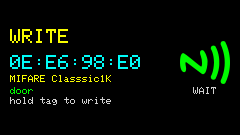
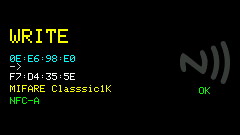
History / Detail / Write / Emulate
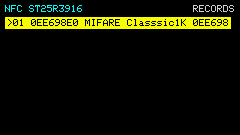
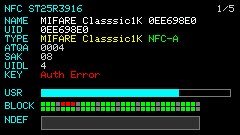
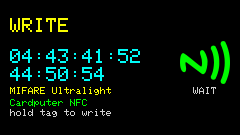
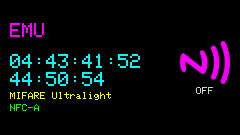
Write / Emulate setup
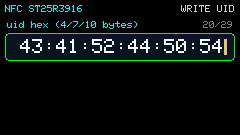
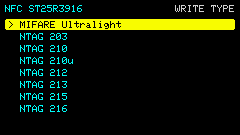
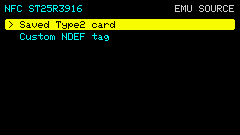
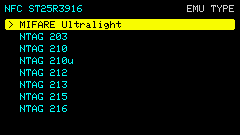
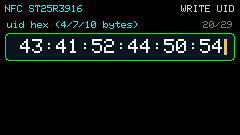
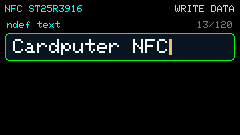
Write UID / NDEF
Module & wiring
Plug into the left Grove (HY2.0-4P). Match silkscreen SDA / SCL / VCC / GND:
| Module | Left Grove |
|---|---|
| SDA | G2 |
| SCL | G1 |
| VCC | 5V |
| GND | GND |
On enter the Unit is initialized; failure shows unit begin failed. Do not share the Grove with GPS (GPS reuses the same pins as UART).
Views
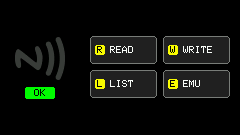
NFC opens on the main Hub. Press r / w / l / e for Read, Write, History, Emulate. Write and Emulation open only from the Hub (wizard: saved card or custom).
| View | Role |
|---|---|
| Hub | Left module status; right tiles: r READ / w WRITE / l LIST / e EMU |
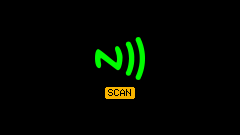
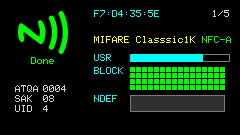
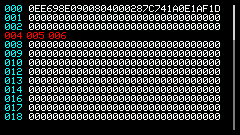
| Reader | Left status icon; right UID / ATQA/SAK / type / USR/TOT; blk grid aligned with the bar (green=ok / red=fail); dump pages list readable blocks only |
| History | Up to 12 recent reads (GPS-style list + scrollbar) |
| Detail | Full record |
| Rename | Edit a history name |
| Write | From Hub w: pick a saved card or custom (type / UID / text), then tap to write |
| Emulation | From Hub e: clone a stored Type2 card, or a custom NDEF text tag |
Shortcuts
Full list: h Help (multi-page).
| Key | Action |
|---|---|
h | Help |
Hub r / w / l / e | Enter READ / WRITE / LIST / EMU |
Reader r | Scan until a card is found |
Reader o | Toggle “save reads to history” |
History r | Rename selection |
History Bksp | Delete selection |
| ↑ ↓ etc. | Page Reader dump; select / page History or Detail |
Enter | History → Detail |
During write / emu w / e | Leave write session / leave emulation |
ESC | Step back toward Hub; from Hub leave to Grove |
Default write payload is Cardputer NFC (NDEF Text). Reads / writes fail on protected sectors without the right keys.
On a MIFARE Classic read, the app first authenticates with default KeyA FFFFFFFFFFFF and reads blk 4 (sector 1, block 0), then continues with a full dump:
| Result | Meaning |
|---|---|
default key | Sector still uses the factory default key |
Auth Error | Key was changed (common on property access cards) |
n/a (not Classic) | Not Classic; probe skipped |
The status line and the key row both show this result, and it is stored in History.
Emulation limits
- Supported: MIFARE Ultralight family and NTAG 2xx (Type 2). Reads store a full page image; Hub
ecan replay a history card’s UID + memory. - Not supported: MIFARE Classic / Plus / DESFire (library listener is Type 2 only). Those records show
type not emulatable(UID-only emu with a tip is possible).
Usage
- Plug Unit NFC into the left Grove; main menu
e→n(or4) to open the NFC Hub. - Enter every sub-module from the Hub only:
rread,wwrite,lhistory,eemulate. - Hub
ropens Reader and arms scanning; tap a card, then check UID / type / key probe / NDEF; arrows page the dump;otoggles auto-history. - Hub
lbrowses history;Enterfor detail,rrename,Bkspdelete;ESCreturns to Hub. - Hub
w/estarts the write or emulate wizard (saved card or custom type / UID / text); finish withw/eorESCback to Hub. - Leaving the App stops scan / emulation and releases I2C.